Calculate the cast-on
Turn a target width into the number of stitches needed at your actual gauge.
 KnitHub
Enter the gauge and finished dimensions you want. KnitHub calculates how many stitches to cast on and, when you include row gauge, how many rows to work.
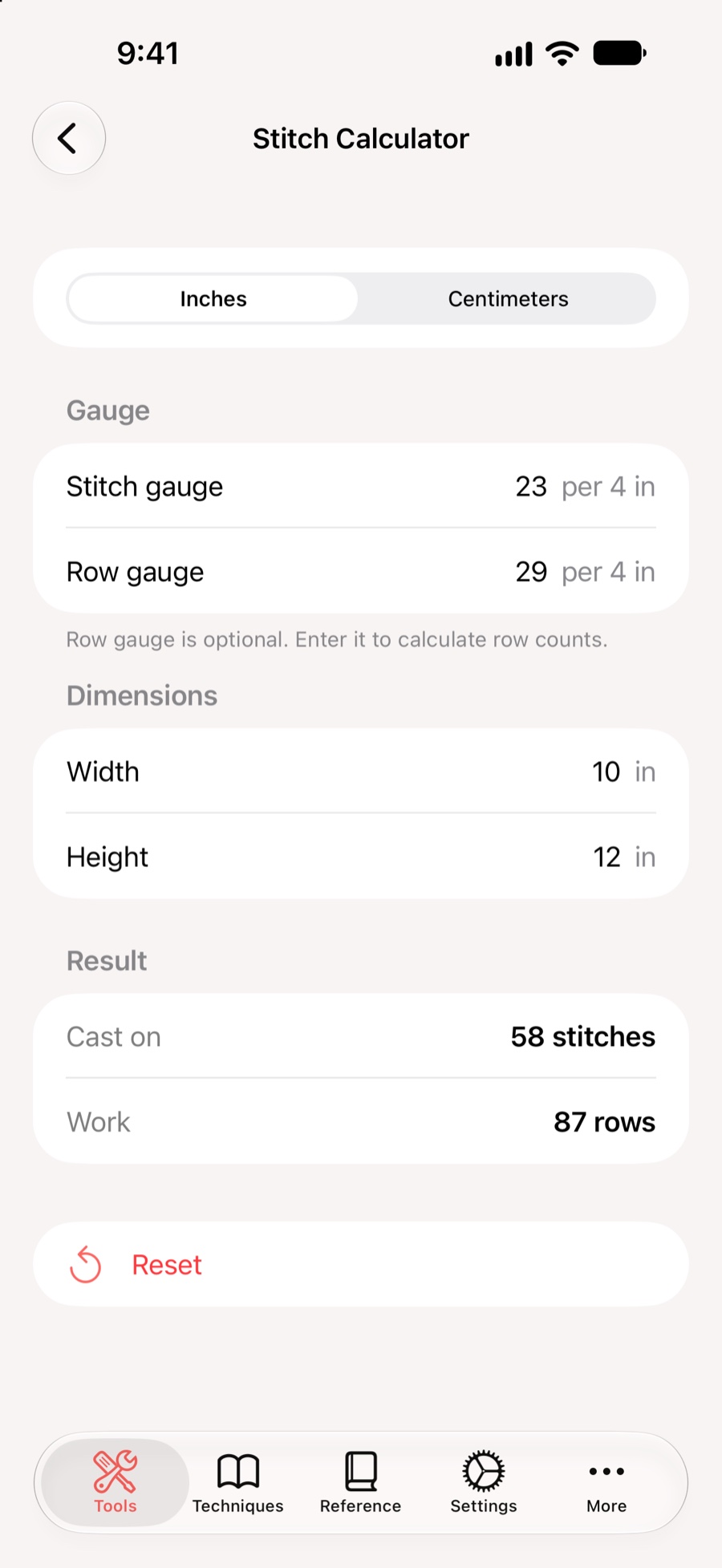
Use the stitch gauge from your swatch and the width you want to make. Add row gauge and height when you also need the vertical count.
Turn a target width into the number of stitches needed at your actual gauge.
Include row gauge to calculate how many rows will reach the intended height.
Switch between inches and centimeters to match your pattern or measuring tools.
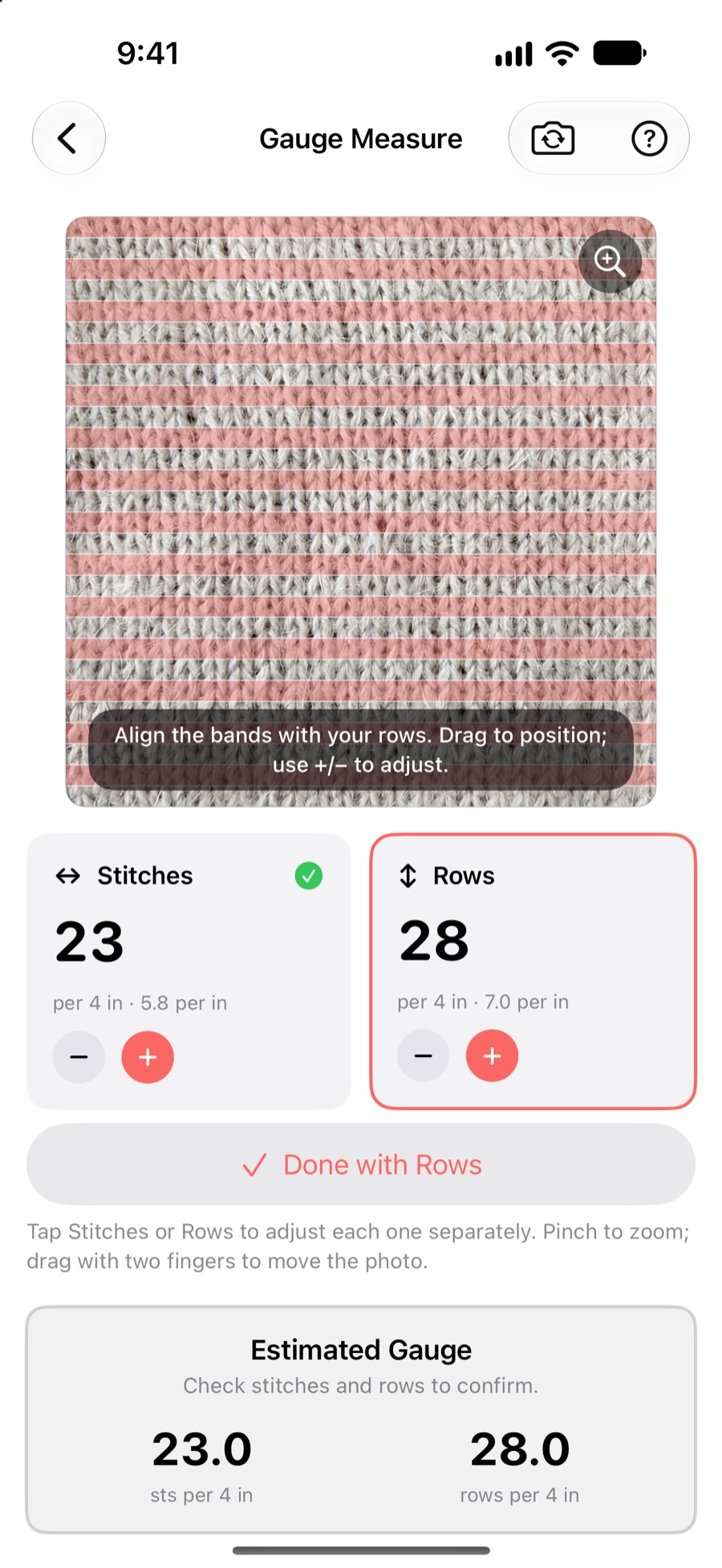
Use Gauge Measure to find the stitch and row gauge from your swatch, then enter those numbers in Stitch Calculator to plan the finished piece.
Both tools stay in one knitting toolkit, ready when you adjust the size or try another yarn.
Download KnitHub on the App Store.